
🪄 AI Summary
Heading 1
Heading 2
Heading 3
Heading 4
Heading 5
Heading 6
Lorem ipsum dolor sit amet, consectetur adipiscing elit, sed do eiusmod tempor incididunt ut labore et dolore magna aliqua. Ut enim ad minim veniam, quis nostrud exercitation ullamco laboris nisi ut aliquip ex ea commodo consequat. Duis aute irure dolor in reprehenderit in voluptate velit esse cillum dolore eu fugiat nulla pariatur.
Block quote
Ordered list
- Item 1
- Item 2
- Item 3
Unordered list
- Item A
- Item B
- Item C
Bold text
Emphasis
Superscript
Subscript
Do B2B videos really need captions? Yes, and the case is stronger than most marketing teams assume. Buyers scroll through LinkedIn, Instagram, and YouTube with the sound off far more often than they expect. A video without captions loses its message before the point ever lands, regardless of how strong the script or the edit is.
Quick Answer
Do B2B videos really need captions? Yes. Most B2B video is watched with the sound off, so captions are not a nice-to-have. Skipping them means losing the message for a large share of your audience.
Why Do B2B Videos Really Need Captions in the First Place
The honest answer starts with how people actually watch video at work. Someone scrolling LinkedIn in a meeting, on a train, or at a desk near colleagues is not going to turn the sound on. If the video depends on audio to land its point, that viewer scrolls past without ever getting the message.
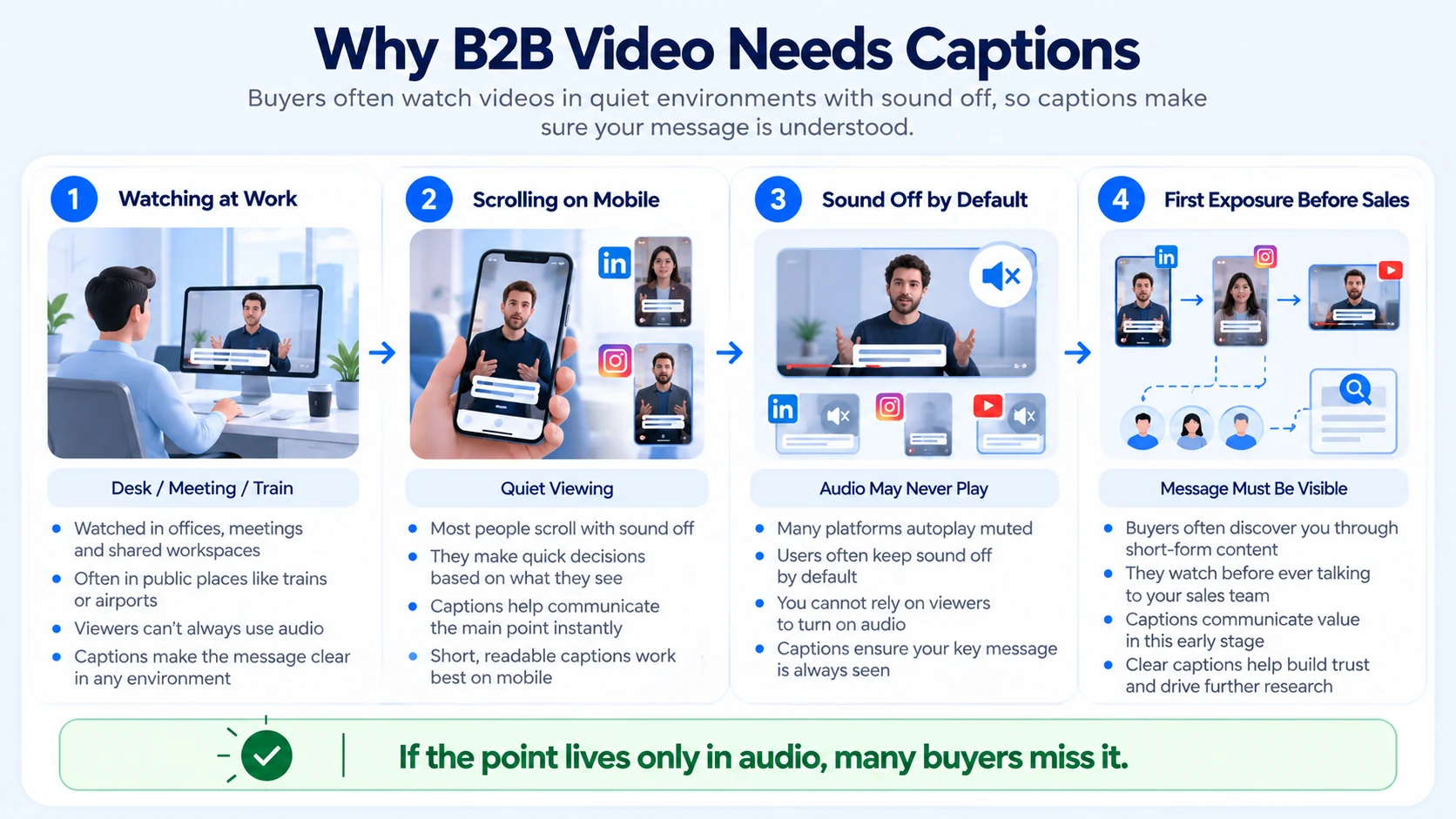
The exact numbers vary by source, and it is worth separating the widely repeated figures from platform-specific ones. General consumer research puts silent mobile viewing very high: a Verizon Media and Publicis study found that 92% of U.S. consumers watch video with the sound off on mobile, and that 80% are more likely to watch a full video when captions are present. LinkedIn's own research, which is more specific to a B2B audience, is more conservative but still makes the same point: only 37% of people watching B2B video on mobile typically listen to it, against 56% on desktop or laptop, and 21% of mobile B2B video viewers have their sound permanently turned off. Whichever number you trust, the pattern holds: a meaningful share of a B2B audience never hears the video at all.
This matters more for B2B than it might first appear. A buyer evaluating a vendor is often watching content during a work block, not leisure time, which is exactly when sound stays off by default. A founder explaining a technical product loses that explanation entirely if the only place it lives is in the audio track. The stakes of a missed message are also higher in B2B, where a single clip can be the first real exposure a buyer gets to a company before a sales conversation ever happens.
I have seen strong founder interviews and webinar clips get scrolled past for this exact reason. The message was good. It was simply never heard, because nothing on screen told the viewer what they were missing. That gap is the real reason B2B video needs captions, beyond any formatting checklist.
What Captions Actually Do for B2B Video
Captions are doing more than one job at once, and B2B teams often stop at the first one when they ask if B2B videos really need captions in the first place.
The accessibility point deserves its own mention. Captions are not just a performance lever. They are also what makes a video usable for viewers who are deaf or hard of hearing, watching in a second language, or simply in an environment where sound is not an option. Treating captions as an accessibility feature first, and a performance lever second, tends to produce better captions overall, since the WCAG-style discipline that accessibility requires also happens to be what makes a caption easy to read at a glance.
Common Caption Mistakes B2B Teams Make
Most caption problems are not about whether B2B video needs them. They are about how the captions get made, which is really the practical side of doing B2B videos that really need captions.
The first mistake is the one I see most with technical B2B content. An auto-caption tool hears a product name or an acronym and guesses wrong, and an inaccurate caption looks worse to a buyer than no caption at all.
Caption Formatting Rules That Hold Up Across Platforms
Getting captions right is a formatting exercise as much as a content one. This is the baseline we work from across most B2B short-form video:
- Keep to one or two lines per frame. Full paragraphs on screen are hard to read in the two or three seconds most viewers give them.
- Stick close to 32 to 42 characters per line. Longer lines force smaller text and slow reading.
- Time each caption to two to four seconds on screen. Enough time to read, not so long it lags behind the speaker.
- Burn captions into the video for short-form clips. Platform-native captions do not always survive downloads, reposts, or cross-posting.
- Follow WCAG 2.1 Level AA guidance for accuracy and timing. This keeps the video usable for viewers relying on captions for accessibility, not just convenience.
- Identify speakers in multi-person content. A simple name label prevents confusion in interviews and panel clips.
For a podcast, webinar, or newly created video getting cut into multiple short clips, this formatting work has to happen on every single clip, not once at the source level. That volume is where most in-house teams start to fall behind.
How to Tell If Your Captions Are Helping
Once the B2B videos really need captions, the question is settled, the next one is whether they are actually working. Captions are working when the numbers that measure attention hold up, not just when they are technically present.
I would rather look at watch time and view-through rate over several videos than judge caption impact from a single post. Attribution here is never perfectly clean, since captions are usually one of several changes happening in a video program at once.
What a Capable Production Partner Should Handle
Getting captions right at scale is a production task, not a single checkbox. A capable partner should be handling:
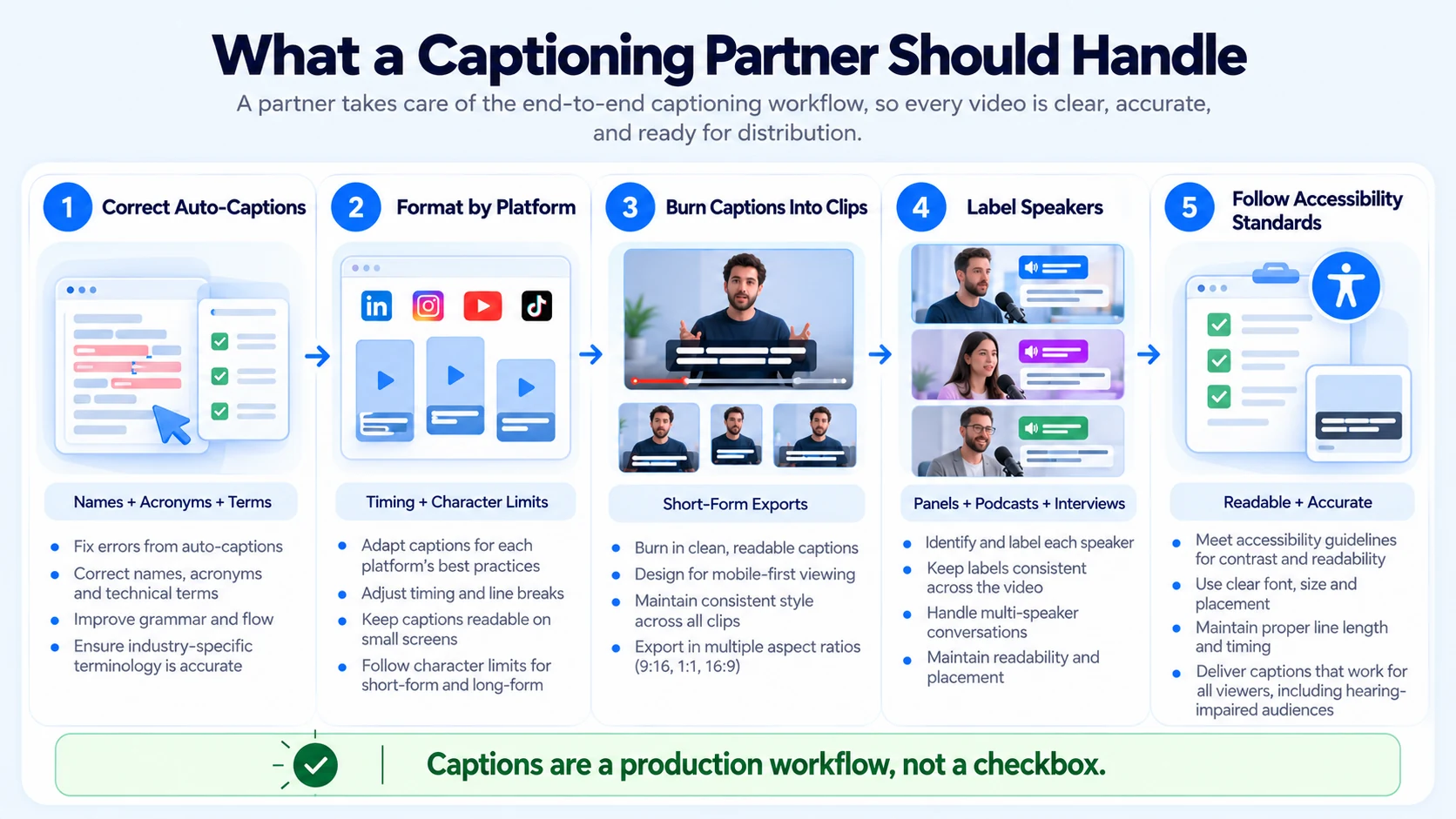
- Correcting auto-generated captions against the actual script, names, and technical terms
- Formatting captions to platform-specific timing and character limits
- Burning captions into short-form exports so they survive reposting and cross-platform sharing
- Labeling speakers clearly in interviews, panels, and podcast clips
- Following accessibility standards, not just what looks good on screen
This is part of the standard workflow behind our from-scratch video creation, short-form video editing, and podcast editing work for B2B SaaS, AI, and tech startups & teams at Komet Media. Every clip gets reviewed captions before it ships, rather than relying on whatever a platform's auto-caption tool produces by default. For teams weighing captions against subtitles specifically, our breakdown of captions versus subtitles for B2B video covers that distinction in more detail.
Conclusion
Do B2B videos really need captions? The data says yes, consistently, across every source worth trusting. Some of the most-cited numbers are general consumer research rather than B2B-specific figures, but even LinkedIn's own, more conservative data shows a large share of B2B viewers never turn the sound on. Captions are not a finishing touch added at the end of an edit. They are part of what makes a B2B video actually deliver its message to the audience it was made for.
FAQ
Do B2B videos really need captions, or is that only true for consumer content?
Yes, and the case is arguably stronger for B2B. Viewers watch professional content at work, in meetings, and in shared spaces where sound is often off, which makes captions the difference between a message landing and being scrolled past. Captions differ slightly from subtitles: captions are built for sound-off viewing and can include non-speech cues, while subtitles usually assume the viewer can hear but may need a translation, and most B2B short-form video uses caption-style text for that reason.
How much does it cost to add professional captions to B2B video?
Cost depends on volume and whether captions are part of full-service video creation and editing, a broader retainer, or a standalone service. Retainer-based production that includes captioning alongside video creation and editing typically runs in the range of approximately $2,500 to $5,000 a month, though a smaller, caption-only project can cost less.
What is the process for adding accurate captions to a video?
The process usually starts with an auto-generated caption draft, followed by manual correction against the actual script, names, and technical terms. Formatting for line length and timing comes next, then speaker labeling for multi-person videos before the captions are burned in or uploaded.
How long does it take to caption a video produced from scratch or edited for B2B?
A short clip under two minutes usually takes less time to review and correct than the initial video production or raw editing itself, often adding a modest amount of time per video once a workflow is in place. Longer content, like a full podcast episode or full-length video project, takes proportionally longer to review for accuracy.
What deliverables come with a proper captioning workflow?
A typical deliverable set includes corrected, platform-formatted captions burned into short-form exports, a clean SRT or VTT file for longer content, and speaker labels for interviews or panels. Some programs also include an accessibility review against WCAG standards.
Should a freelancer or an agency handle captions for B2B video?
A freelancer can work well for occasional, low-volume captioning needs. An agency tends to hold up better once captions need to be consistent, accurate, and formatted correctly across a weekly or monthly volume of clips.
Does an in-house team or an external partner make more sense for captioning at scale?
Small in-house teams often rely on unedited auto-captions because manual correction takes real time. An external partner running captioning as part of a standard workflow tends to catch more errors and keep formatting consistent across every clip.
Does Komet Media handle captions as part of its video creation and editing work?
Yes. Every video created from scratch, short-form clip, and podcast edit we deliver for B2B SaaS, AI, and tech startups & teams includes reviewed, corrected, and platform-formatted captions rather than raw auto-generated text. Book a call if you want captions built into your existing video workflow.


